





MakerBot SKETCH SPRINT 3D Printer

Reliable 3D printer for education


Build chamber
220 x 220 x 220 mm
Software
UltiMaker Cura Cloud

Special feature
closed working chamber

What are the applications of the printer
and where will it serve best?

For whom?

We have noticed that often in the education sector, teachers and school principals need fast, safe and reliable 3D printers to equip their school labs. Important to them is the availability of educational materials, intuitive operation and funding opportunities.

What demand?

The MakerBot SKETCH SPRINT printer will work well in primary, secondary and higher education for manufacturing with plastics such as PLA or Tough PLA. It allows for precise printing and the use of pre-made lesson plans.

In what industries?

SKETCH SPRINT is used by 3D printing hobbyists as well as large state educational institutions. These printers are great for educational programs with ministry and local government support.

  • Primary and secondary education
  • Higher education

Why MakerBot SKETCH SPRINT?

  • The MakerBot SKETCH SPRINT is a 3D printer model designed for education – ideal for beginners.
  • It works with FDM technology that ensures the durability of prints.
  • SKETCH SPRINT is distinguished by its quiet and safe operation.
  • SKETCH allows control via desktop and mobile applications.
  • Working with CAD files becomes possible with Cura Cloud software.

What benefits and key advantages does the printer bring?

Technical benefits:
1

Use of biodegradable PLA filament

2

Easily digestible knowledge about 3D design and printing

3

Safe operation – closed build chamber

4

Precise prints – heated work table

5

Clean air in the studio – particulate filter

6

Print speeds as fast as 300 mm/sec

7

Easy to use and short training

Key advantages of the MakerBot printer:

01

Filaments for the MakerBot SKETCH SPRINT are widely available – they have a diameter of 1.75 mm.

02

MakerBot SKETCH SPRINT allows communication via LAN, USB and Wi-Fi.

03

Support for basic spatial file formats: STL, IGES, CATIA, ProE/Creo, Solid Works, InventorOBJ, VRML.

04

Availability of LCD display for quick print control.

05

PIN lock availability.

Will I be able to train my employees after purchasing the printer?

Yes, we won’t leave you alone. Along with each printer, we offer training for employees/teachers on how to use the device.

Educational benefits

What will you gain by implementing MakerBot SKETCH SPRINT in your institution?

  • Full engagement in learning on the part of students – 3D printing lessons are interesting.
  • Quick start and easy to use – teachers master 3D printing technology.
  • Technical support – CadXpert provides ongoing technical support for MakerBot printers.
  • Ready-made lesson plans – MakerBot has prepared lessons based on the printer.
  • Printing safety – thanks to the closed working chamber, printing can proceed without risk of interruption.
  • Access to CadXpert e-learning platform

Does the MakerBot printer print fast enough for lessons?

YES. In all simulations, MakerBot solutions achieve a good printing speed – 300 mm/sec. Lesson time will not be lost.

MakerBot guide for teachers

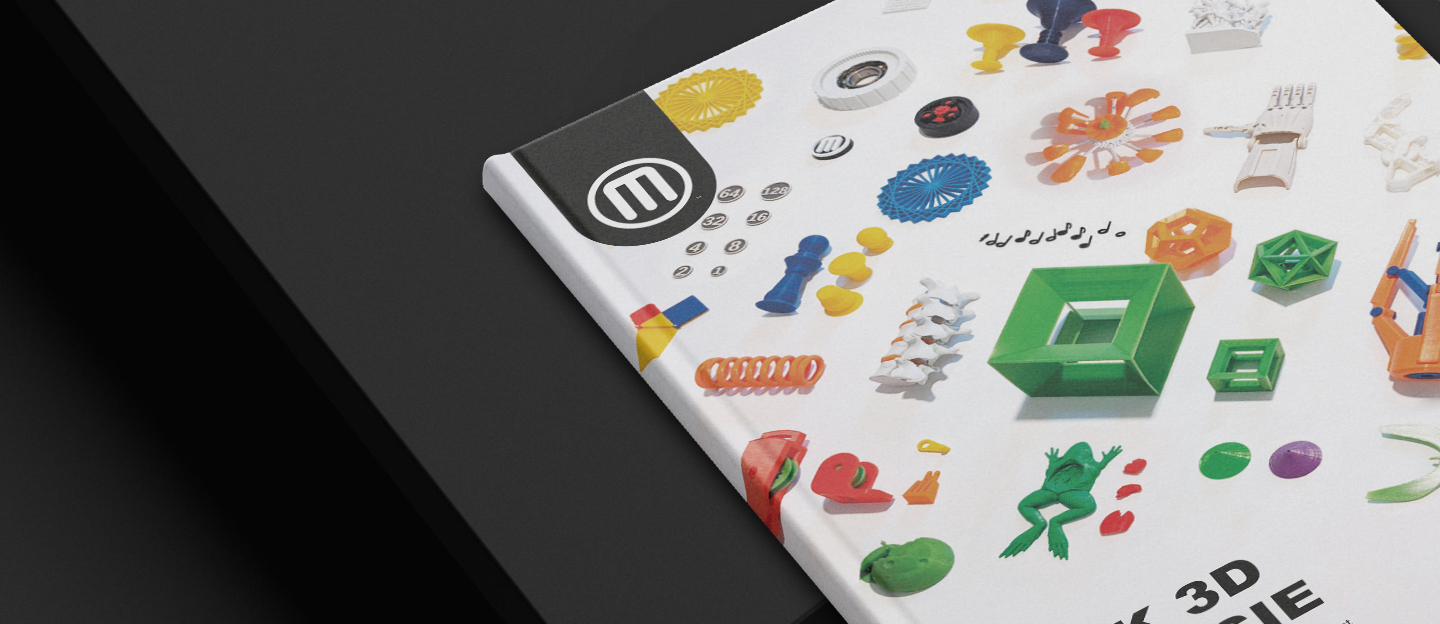
We know that teachers often need preparation for teaching about 3D printing. They find it useful to have solid information about the technology and a handful of tips about using 3D printers. When it comes to lesson preparation, interesting scenarios and promotion of student involvement are important.

With this in mind, we created the “MakerBot Guide for Teachers.”
Our guide will help you in the process of preparing lessons on MakerBot printers. It’s a useful resource that you’ll be able to use in lessons and in discussions among teaching staff. It helps you evaluate the capabilities of the MakerBot SKETCH 3D printer and shows you the path to creativity in your teaching work.

What do I find in the guide?

  • Tips from digital model to print
  • Learning 3D design
  • Support for MakerBot SKETCH and CloudPrint software.
  • Subject-specific 3D printing project ideas
  • A handful of useful teaching tricks

    What support can I count on when implementing this printer?

    The SKETCH SPRINT printer is a benefit for institutions:

    • Support for government programs such as the Laboratories of the Future
    • Local government assistance under annual education development funds
    • access to CadXpert training platform – www.szkoleniadruku3d.pl
    • CadXpert's ongoing technical support

    Examples of costs and printing times for models on the MakerBot SKETCH.

    3D printing of model A
    60 PLN
    1 hour
    3D printing of model B
    80 PLN
    2 hours

    The SKETCH SPRINT printer is not enough for a large lesson group.
    What should I do?

    As part of various state support programs for education, we at CadXpert create entire 3D printing labs for schools. Ask us about the possibilities!

    Financing
    and printer leasing

    We work with several partners in obtaining financing for institutional projects. We will show you where you can go for support and get funding with simplified procedures and maximum customer care. We will help you buy and implement very quickly.

    Leasing is the optimal solution for companies. On the other hand, as an educational institution, you will be able to take advantage of state financial support programs.

    Ask us about financing options for your printer

    Printer maintenance

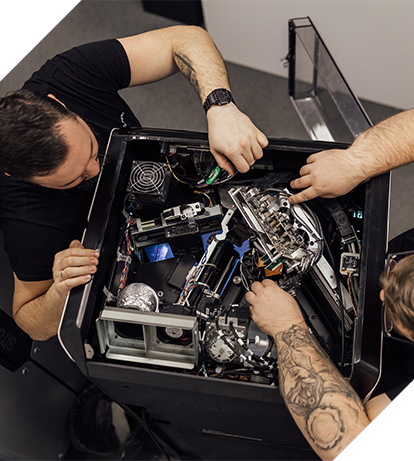
    At CadXpert, MakerBot’s certified engineers provide warranty care for the equipment throughout its lifetime. There is no need to use foreign, non-responsive service centers.

    We assign an individual Service Consultant to each customer to answer your questions

    You will be able to get in touch at any time about the operation of the device and get the missing information.

    Our implementation consultants, as part of the initial analysis of the situation, will help you find additional applications for your printer so that you can realize the full potential of the device.

    I don’t know how I can use a 3D printer in my school/institution.

    We will send a consultant to your institution to check possible applications of 3D printing and present the device.

    Technical parameters of the printer

    Download the detailed technical specifications of the MakerBot SKETCH SPRINT printer.

    MakerBot SKETCH SPRINT
    Build chamber
    220 x 220 x 220 mm
    Materiały
    range of dedicated filaments
    Material containers
    external – Material Case
    Software
    UltiMaker Cura Cloud
    Layer height
    200 microns
    Special feature
    closed working chamber

    What materials are supported by the printer?

    For the SKETCH SPRINT printer, MakerBot and partners have prepared materials for use with FDM technology. Here are some examples:

    PLA
    Tough PLA

    For a full list of materials available for the SKETCH SPRINT printer, visit UltiMaker and the UltiMaker Marketplace.

    Want to read more about the materials used in different technologies?

    Does the MakerBot printer need special space conditions to work?

    MakerBot printers do not need special rooms. You don’t need to create additional ventilation ducts or build exhaust hoods. This is equipment that will work well in any school space.

    Comparison of MakerBot and UltiMaker models

    SKETCH SPRINT’s capabilities are tailored to the needs of education.

    SKETCH SPRINT is a tool for discovering new 3D printing applications. It combines ease of use with job security and printing speed.

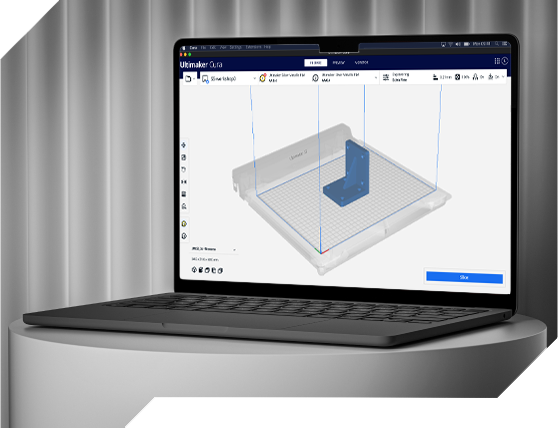
    UltiMaker Cura Software

    Learn about UltiMaker Cura software.
    Prepare and optimize your design for perfect printing.

    Why is Cura a more comfortable job?

    • An open-source engine for cutting 3D models, continuously developed and supported by the community.
    • Plug-ins and material profiles available in the UltiMaker Marketplace.
    • More than 400 3D model customization settings.
    • Ready-made profiles for various applications and materials.
    • Integration with CAD programs (SolidWorks, Siemens NX, Autodesk Inventor).
    • Support for multiple file formats, such as STL, OBJ, 3MF.

    Download UltiMaker Cura for free

    Fill out the form and you will automatically receive a link to download the full version of Cura software from UltiMaker.

      Test the software and do your own item estimation with UltiMaker Cura

      Is there an additional charge for the Cura Cloud software?

      The Cura Cloud software and updates are free. MakerBot bundles them with each 3D printer model.

      What will our cooperation look like?

      1

      We will start with a thorough understanding of your problem related to the manufacturing process of each component. We will consider their characteristics and applications.

      2

      We will select the right technology, materials and offer the right printer.

      3

      We will prepare a return on investment calculation regarding your planned prints.

      4

      We will print a proof for you to see if the solution is suitable for your applications.

      5

      We will prepare a price and time estimate according to the established guidelines.

      6

      If you accept all the components of the offer, we will proceed with the order.

      7

      We will arrange for the installation of the printer at your site and provide training to your employees on the operation of the device.

      Your project will be the responsibility of one specific person who will be available to you at every stage of implementation.

      Consult implementation

      1

      As part of the conversation, the consultant:

      2

      In furtherance of our cooperation:

      What questions will help you assess your situation?

      1. 1

        Do you have a plan to use 3D printing in your institution?

      2. 2

        How often and what size parts do you want to print?

      3. 3

        What is more important to you aesthetics or the durability of the print? This will help us determine the right printing technology.

      Submit the form, our consultant will contact you within 15 minutes.

      Konsultant duku 3D

        Direct contact

        Frequently asked questions

        Still wondering? We hope this list of frequently asked questions will help answer some of your doubts.

        MakerBot SKETCH SPRINT printers have printing accuracy sufficient for educational purposes.

        MakerBot SKETCH SPRINT printers can use a 200-micron thick layer.

        NO. The Digital Factory and Cura Cloud software included with SKETCH SPRINT printers does not come at an additional cost. Updates also remain free of charge.

        NOT. The MakerBot SKETCH SPRINT printer is equipped with particle filters to protect the production chamber. It does not require additional ventilation hoods.

        Files can be transferred to MakerBot printers via LAN, but also wirelessly and with flash drives.

        NO. MakerBot printers and software have an excellent learning curve and can be operated by quickly pre-trained personnel.

        YES. We provide initial operational training for all MakerBot printers purchased.

        MakerBot’s team of certified experts is available from 8:00 a.m. to 5:00 p.m. There is no limit to support at CadXpert – you can always call and get technical assistance for your printer.