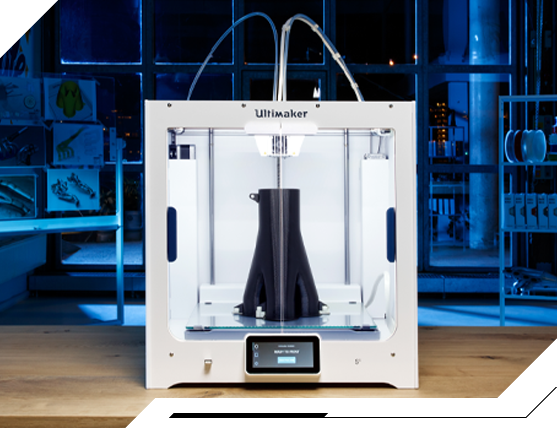
UltiMaker S5 3D printer

Semi-industrial 3D printer with unparalleled material versatility


Build chamber
330 x 240 x 300 mm
Materiały
open material system

Software
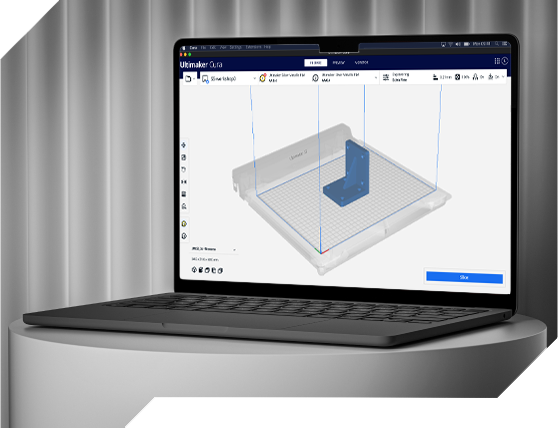
UltiMaker Cura

What are the applications of the printer
and where will it serve best?

For whom?

We’ve noticed that often in manufacturing companies, engineers in design, R&D, or maintenance departments need quick procurement of spare parts and expansion of low-volume production capabilities. The speed of obtaining and reducing the cost of end parts, tools, jigs and fixtures can be really key to them.

What demand?

The UltiMaker S5 printer will work well for industrial demands because of its wide range of materials (more than 300) and printing in two materials at the same time.
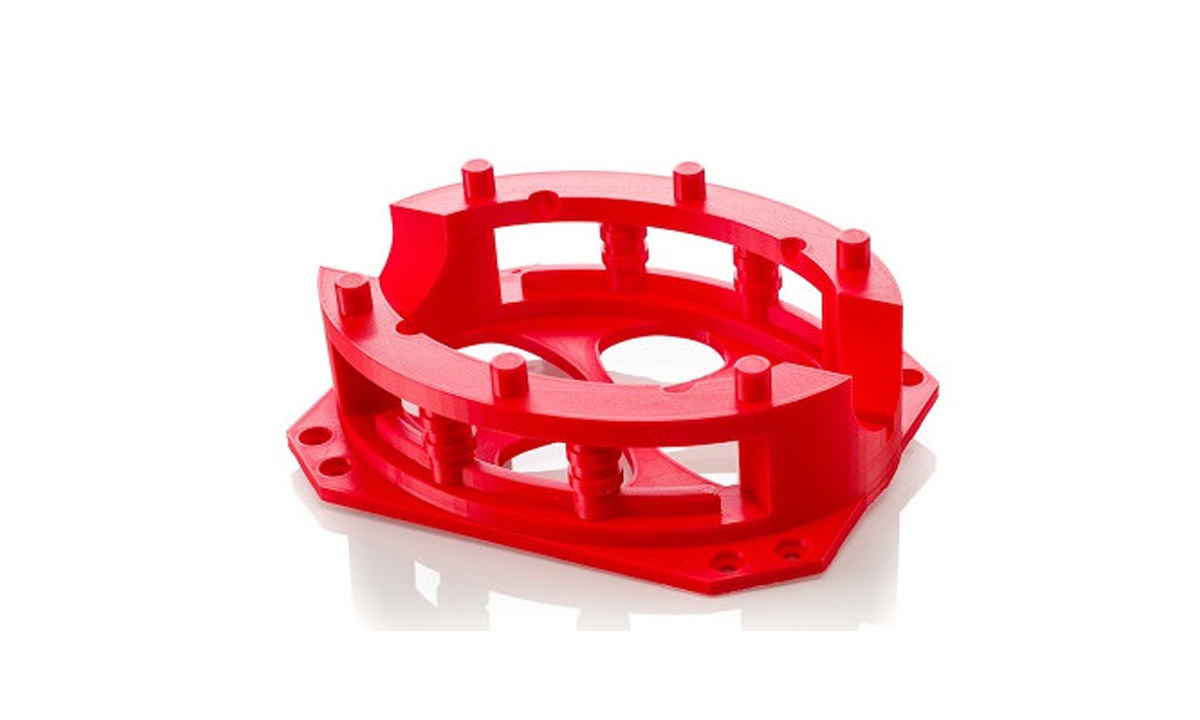
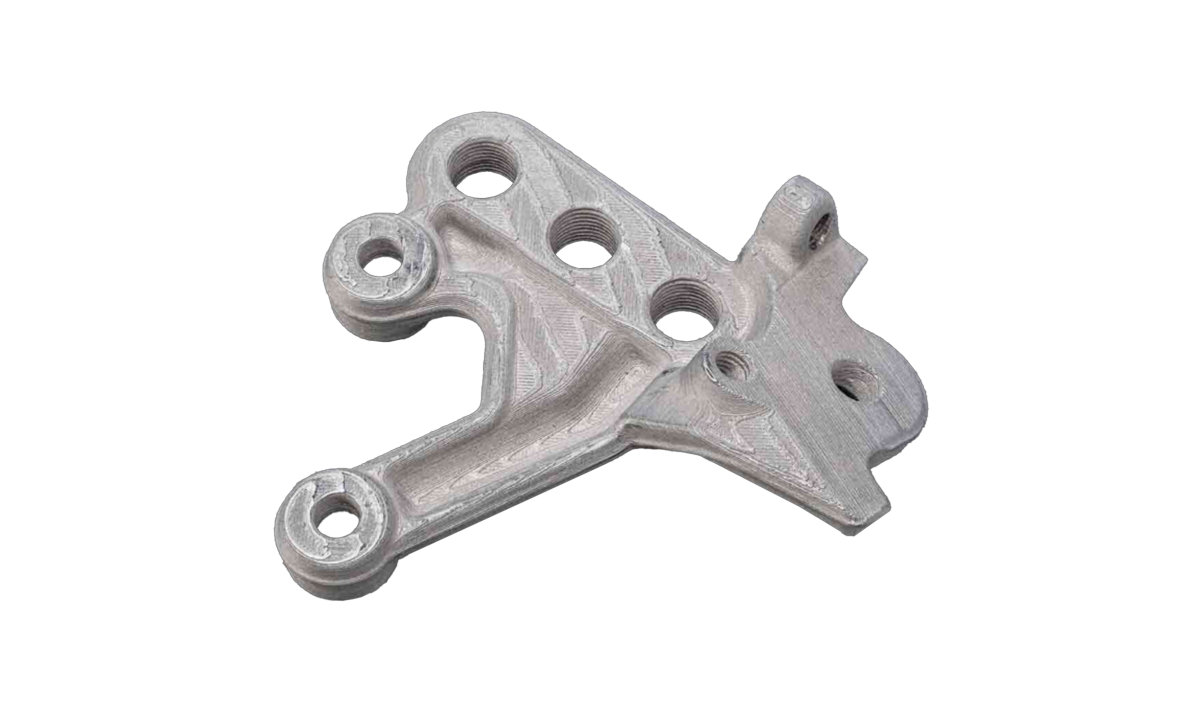
It enables printing of durable spare parts, tooling and end products with parameters such as temperature resistance or good mechanical properties.

In what industries?

UltiMaker S5 is used by industries such as manufacturing, industrial automation, home appliance and electronics manufacturers. It is used in research and development departments where engineering prototypes and a large build plate are needed.

  • Manufacturing
  • Industrial automation
  • Appliance and electronics manufacturers
  • Home Appliances

Why UltiMaker S5?

  • The UltiMaker S5 is a versatile 3D printer model for industry and business.
  • It works with FDM technology that ensures the durability of prints.
  • The S5 also allows printing in composite materials.
  • The S5 offers a large build plate.
Printer prices start at

What benefits and key advantages does the printer bring?

Technical benefits:
1

Immediate transition between the design and production phases

2

Printing in two materials simultaneously

3

Fast printhead warm-up (less than 120 s) and short work platform warm-up time (less than 240 s)

4

Open system of materials – available materials from external manufacturers

5

A wide range of UltiMaker materials

6

Advanced software for cutting into layers (slicer) – UltiMaker Cura

7

Highly adjustable layer height (20-600 microns) allows you to experiment with timing, print quality and model strength

8

Easy to use and short training

9

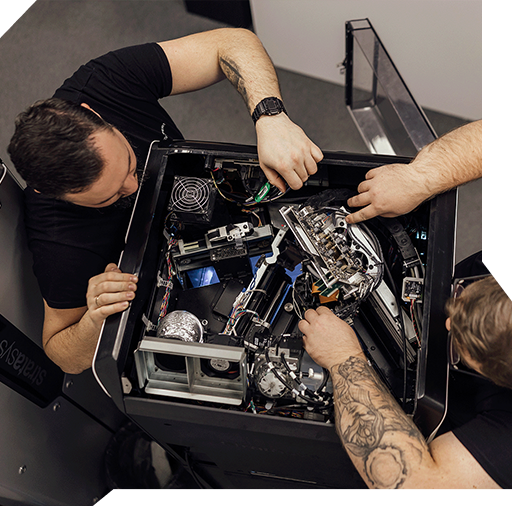
Modularity of construction – fast service

The UltiMaker S5 offers the option of attaching an air filter (Air Manager) to close the build chamber. A material feeder system (Material Station) is also available.

Key Advantages of the UltiMaker Printer:

01

Using basic printers, very often the final print does not meet standards. The prints may be distorted and are not produced with the required tolerance. When you want precise prints that reflect the design well, UltiMaker printers prove to be a good answer. Repeatability of prints reaches 95%, while dimensional accuracy is ± 0.2 mm or ± 0.2% of nominal part length.

02

Are you looking for customized materials for your production needs? Do you have specific technical requirements for your prints? With UltiMaker, you have access to an open system of materials right from the start. You will benefit from more than 200 advanced third-party materials.

03

Also, the manufacturer’s range of materials is constantly expanding. In it you can find such filaments as PLA, ABS, PETG.

04

Filament spools, with the purchase of a special module, can be stored in an insulated space with a maximum humidity of up to 10% in an office environment. The chamber’s capacity of up to 6 kg of material and the easy operation of changing spools will give you access to reliable and continuous printing.

05

The S5 operates at a volume of less than 51 dB, which will allow you to work comfortably while printing in the office.

06

The S5’s dual extrusion allows you to print in materials at two printing speeds and achieve more complex, intricate parts. This means more design freedom for you.

07

Need remote control of printing? The 1080p camera gives you a clear view of the print chamber while the device is running.

08

Are you worried about the complexity of the 3D printing process? Are you at the beginning of your journey when it comes to operating the printer and configuring print settings? The UltiMaker printer is a plug & play device. You will benefit from a clear interface, short training and intuitive Cura software. You won’t have to invest extra to start production!

09

When investing money in a machine, you may want to be sure that any repair will take place at an authorized service center. At CadXpert, we offer products from well-known, stable and proven 3D printing companies. We are in touch with the manufacturer and make repairs using authorized parts and methods.

Will I be able to train my employees after purchasing the printer?

Yes, we won’t leave you alone. Along with each printer, we offer training for employees on how to use the device.

Business benefits

What do you gain by implementing UltiMaker S5 in your company?

  • faster prototyping
  • dynamic supply of spare parts
  • saving storage space for spare parts
  • saving of materials in comparison to CNC machining
  • avoiding production line downtime
  • door to door service – your machine will be taken care of by our team of certified and experienced engineers. We are present in different regions of Poland and will perform the repair at the site of your company, without worrying about prolonged machine downtime.

Is the UltiMaker printer faster than cheap counterparts?

In all simulations, UltiMaker solutions achieve competitive results. Print without worrying about lost time!

3D printer comparison. Universal user guide

We know that our customers need reliable 3D printing information and printer comparisons in their purchases. When it comes to making a substantive case for a purchase, breadth and precision of insight is important.

With this in mind, we created “3D Printer Comparison. A Universal User’s Guide.”
Our guide will help you in the decision-making process. It’s a useful resource that you’ll be able to present to a board of directors or before a purchasing committee. It helps you evaluate technologies and 3D printers against a number of useful criteria.

What do I find in the guide?

  • Descriptions of the characteristics of 3D printing technology
  • Comparison of 3D printing technologies
  • Comparison of 3D printers from different manufacturers by market segment
  • Case study of 3D printer purchase

    What kind of return on investment (ROI) can you expect from implementing this printer?

    The S5 printer offers a favorable return
    on investment:

    • For low and medium product runs. There is no need for costly and time-consuming injection molding.
    • For parts with complex geometries. 3D printing has no technical limitations of machining. There is no need for a separate CAM project (CNC machine operation) and the constant presence of an engineer to manufacture the part.
    • In situations where you frequently use 3D printing services from third-party suppliers

    Example of ROI on part printing for the manufacturing industry (50 pieces). The break-even point with respect to subcontracting 3D printing typically ranks around 37 parts.

    3D printing
    600 PLN
    1 day
    Machining
    800 PLN
    3-5 days

    The UltiMaker printer offers too low a return on investment relative to using a 3D printing service.
    What should I do?

    To implement an in-house printer is to become independent of the supplies, logistics and deadlines of subcontractors. It is also worth including indirect benefits in the calculation of the investment.

    Financing
    and printer leasing

    We work with several partners to obtain financing for your projects. We will show you where you can go to find support and get funding with simplified procedures and maximum customer care. We will help you buy and implement very quickly.

    Leasing is the optimal solution for businesses. With no one-time investment, the device works for you from the beginning and you can treat the installments as a tax-deductible expense.

    Ask us about financing options for your printer

    Printer maintenance

    At CadXpert, certified engineers provide warranty care for the equipment. There is no need to use foreign, non-responsive service centers.

    We assign an individual Service Consultant to each customer to answer your questions

    You will be able to get in touch at any time about the operation of the device and get the missing information.

    Our implementation consultants, as part of the initial analysis of the situation, will help you find additional applications for your printer so that you can realize the full potential of the device.
    I don’t know how I can use a 3D printer in my industry.

    We will send a consultant to your factory to review possible 3D printing applications and conduct a demand analysis for the printer.

    Technical parameters of the printer

    Download the detailed technical specifications of the UltiMaker S5 printer.

    UltiMaker S5
    Build chamber
    330 x 240 x 300 mm
    Materiały
    open material system
    Material containers
    expandable to 6 reels
    Support material
    soluble and breakable
    Software
    UltiMaker Cura
    Layer height
    20 to 600 microns

    What materials are supported by the printer?

    For the S5 printer, UltiMaker has engineered materials for use with FDM/FFF technology. Here are some examples:

    PETG
    ABS
    CPE
    TPU 95A
    PP

    For a full list of materials available for the S5 printer, visit UltiMaker and the UltiMaker Marketplace.

    Want to read more about the materials used in different technologies?

    Does the UltiMaker printer need special space conditions to work?

    UltiMaker S-series printers do not need special rooms. You don’t need to create additional ventilation ducts or build exhaust hoods. This is equipment that will work in any production space.

    Comparison of S-series models

    The capabilities of the S-Series are tailored to meet industry needs.

    The S5 is your ideal tool for exploring new 3D printing applications. The S Series combines ease of use with versatility, allowing you to choose from a variety of materials.

    UltiMaker Cura Software

    Learn about UltiMaker Cura software.
    Prepare and optimize your design for perfect printing.

    Why is Cura a more comfortable job?

    • An open-source engine for cutting 3D models, continuously developed and supported by the community.
    • Plug-ins and material profiles available in the UltiMaker Marketplace.
    • More than 400 3D model customization settings.
    • Ready-made profiles for various applications and materials.
    • Integration with CAD programs (SolidWorks, Siemens NX, Autodesk Inventor).
    • Support for multiple file formats, such as STL, OBJ, 3MF.

    Download UltiMaker Cura for free

    Fill out the form and you will automatically receive a link to download the full version of Cura software from UltiMaker.

      Test the software and do your own item estimation with UltiMaker Cura

      Is there an additional charge for the UltiMaker Cura software?

      The Cura software and updates are free. UltiMaker includes them with each 3D printer model.

      What will our cooperation look like?

      1

      We will start with a thorough understanding of your problem related to the manufacturing process of each component. We will consider their characteristics and applications.

      2

      We will select the right technology, materials and offer the right printer.

      3

      We will prepare a return on investment calculation regarding your planned prints.

      4

      We will print a proof for you to see if the solution is suitable for your applications.

      5

      We will prepare a price and time estimate according to the established guidelines.

      6

      If you accept all the components of the offer, we will proceed with the order.

      7

      We will arrange for the installation of the printer at your site and provide training to your employees on the operation of the device.
      Your project will be the responsibility of one specific person who will be available to you at every stage of implementation.

      Consult implementation

      1

      As part of the conversation, the consultant:

      2

      In furtherance of our cooperation:

      What questions will help you assess your situation?

      1. 1

        Do you have a specific problem or challenge that 3D printing could solve?

      2. 2

        What size parts do you want to print? The most common prints are important, as they are the ones worth investing in 3D printers for.

      3. 3

        What is more important to you aesthetics or the durability of the print? This will help us determine the right printing technology.

      4. 4

        Is the print to meet any additional requirements? E.g. chemical resistance, heat resistance, biocompatibility certificate, pressure maintenance, low weight, handling of very heavy loads, abrasion resistance, good sliding properties, etc.

      Submit the form, our consultant will contact you within 15 minutes.

      Konsultant duku 3D

        Direct contact

        Frequently asked questions

        Still wondering? We hope this list of frequently asked questions will help answer some of your doubts.

        The UltiMaker S5 printers have a high printing accuracy of +/- 0.2 mm. These are sufficient parameters for most cases of industrial production.

        UltiMaker S-series printers can use layers of thicknesses from 20 to 600 microns.

        NO. The Cura software that comes with the printers is at no additional cost. Also, updates remain free.
        NO. UltiMaker printers can be equipped with carbon filters to protect the production chamber (Air Manager). They do not require additional ventilation hoods.
        Files can be transferred to UltiMaker printers via LAN, but also wirelessly and with flash drives. The operator does not need to be in the same room as the printer.

        NOT. UltiMaker printers have an excellent learning curve and can be operated by pre-trained personnel.

        YES. We provide initial operational training for all UltiMaker printers purchased.

        UltiMaker’s team of certified experts is available from 9:00 a.m. to 5:00 p.m. At CadXpert, there is no limit to support – you can always call and get technical assistance for your printer.